 Body Bro
A workout log
with an AI coach
Your coach builds a program around your goals. In the gym, Body Bro gives you a weight and rep target for every set and records your results. After your workout, see what improved.
The app is free. Your AI coach uses a service you choose and connect yourself — here’s how.
One loop —
from plan to review
Every workout builds on the last: plan, train, results, review — then plan again.
-
Plan
Choose a ready-made program, build your own or ask your AI coach. It will ask about your goals, experience and equipment.
-
Train
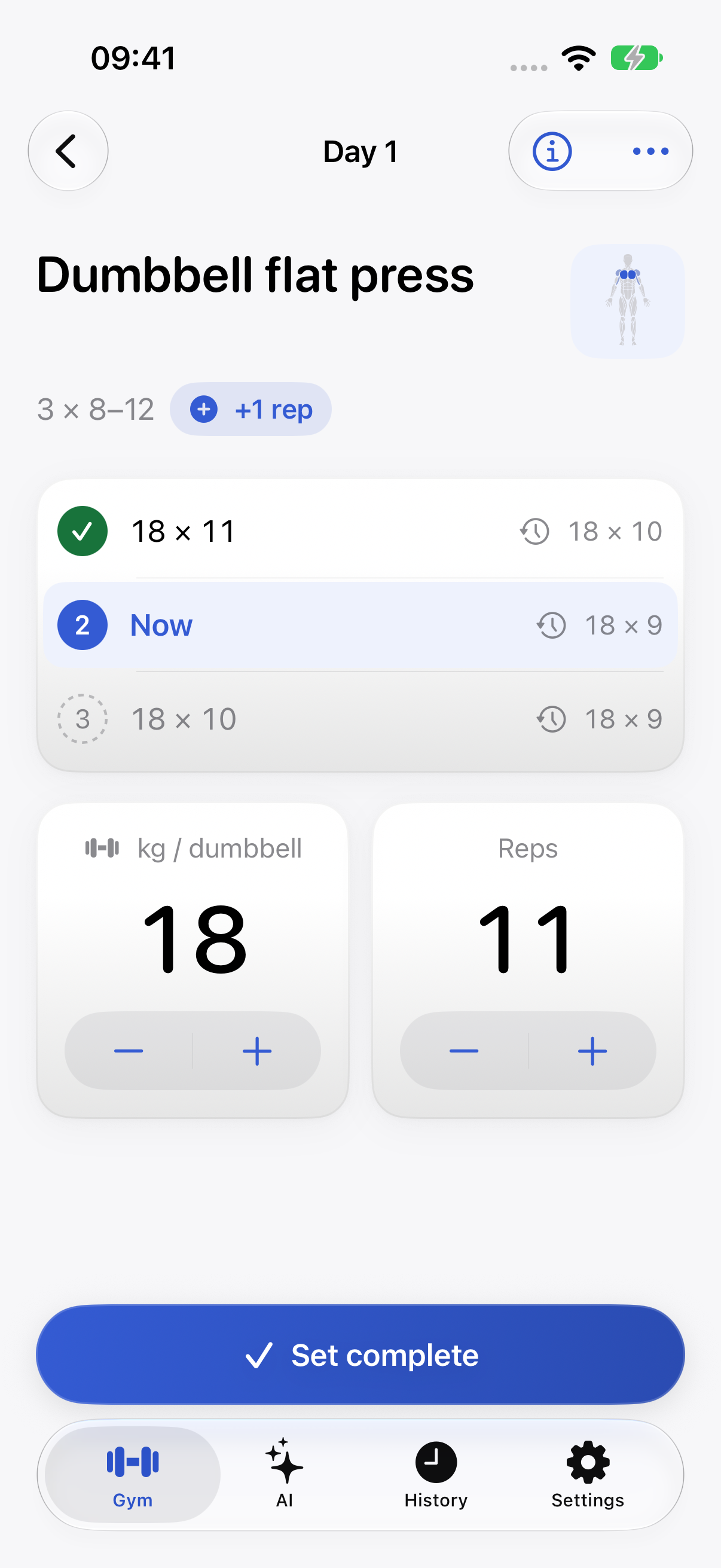
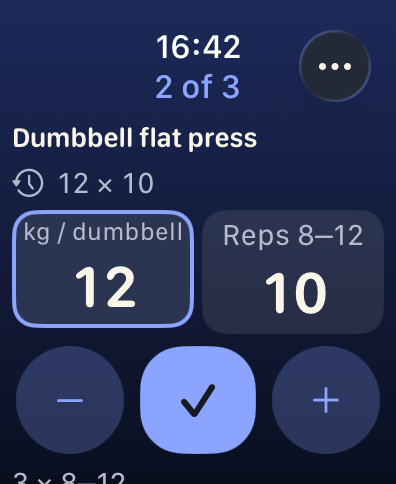
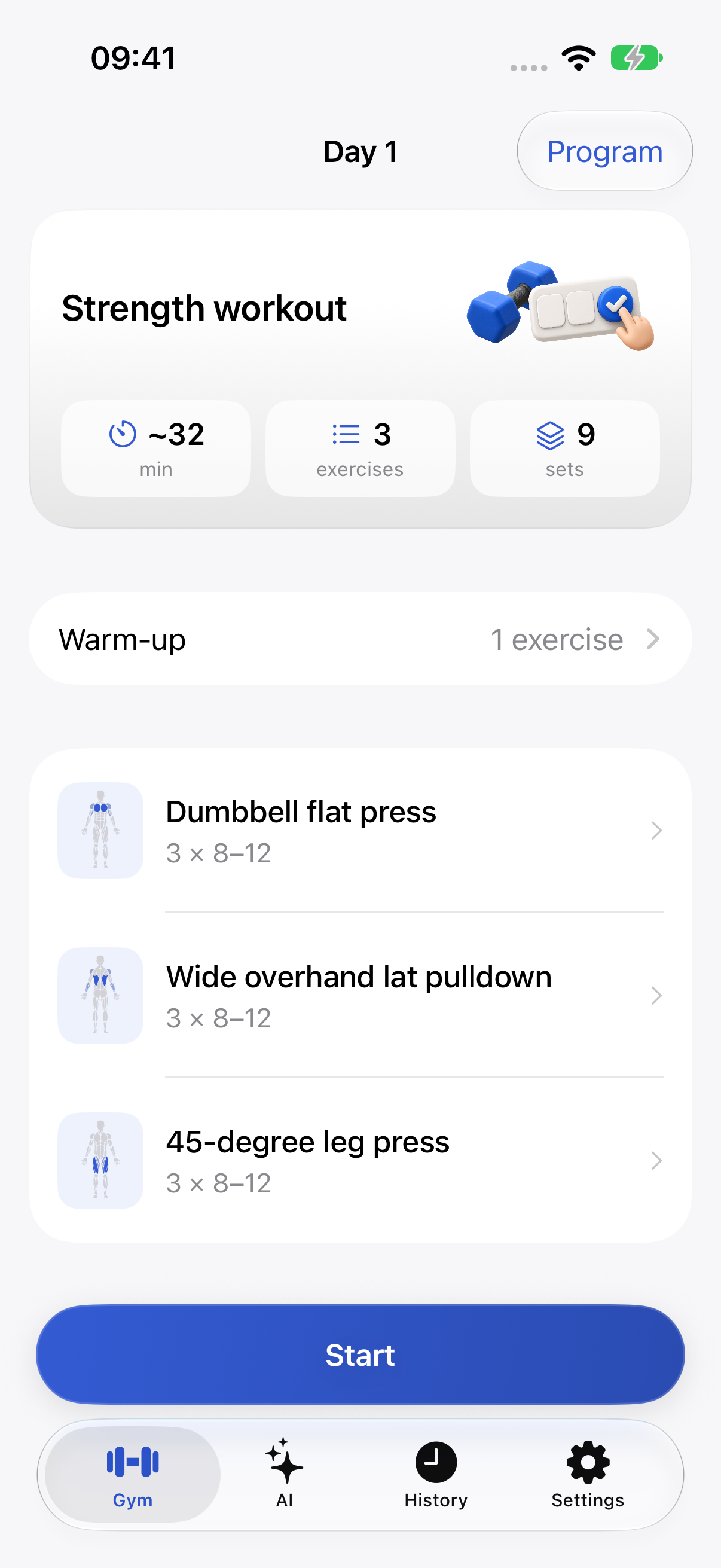
Each set has your previous result and today’s target. On iPhone or Apple Watch, without internet access.
-
Results
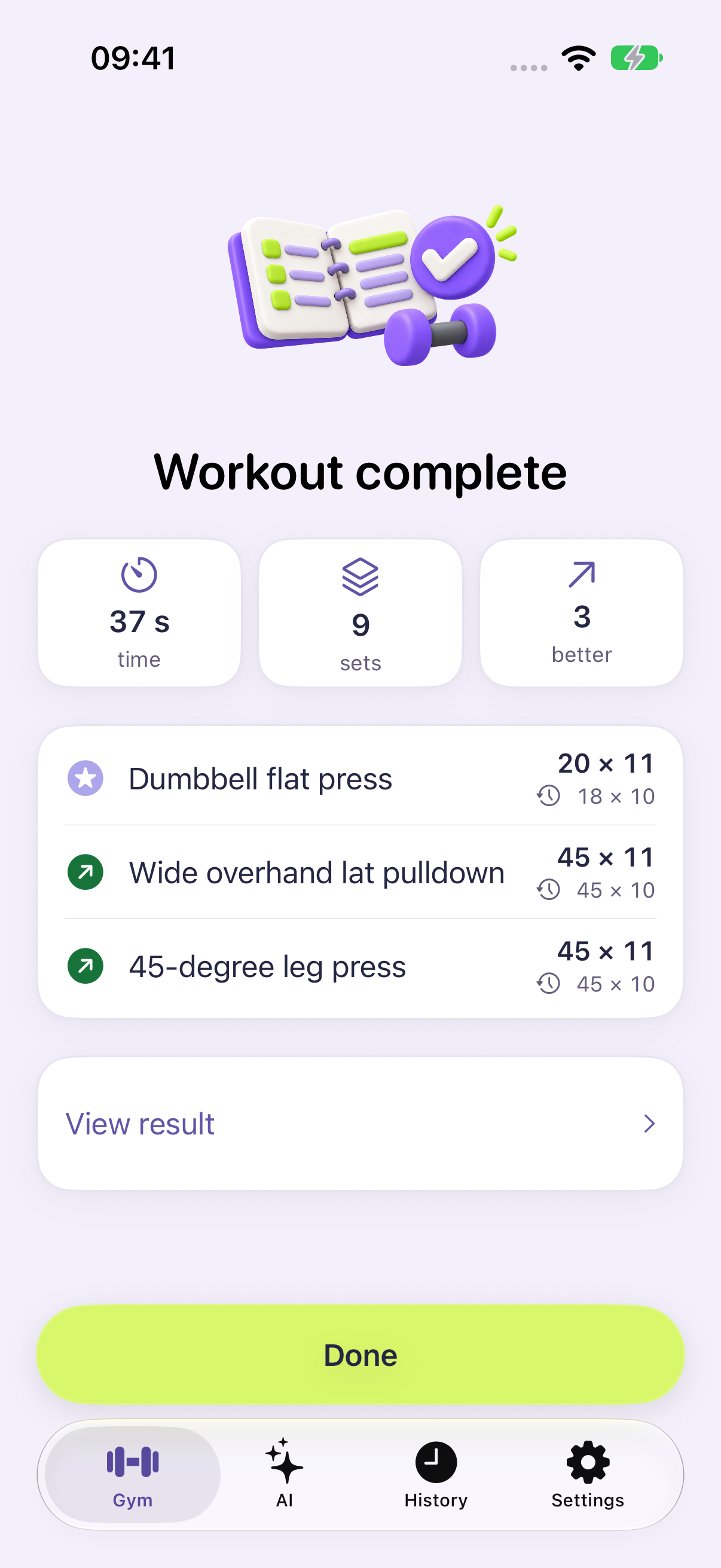
Sets are saved on your phone straight away. Your workout summary shows what improved since last time.
-
Review
Your coach gives you a short review of what changed and what to do next time.
Start with a conversation
Keep going with a plan
Your AI coach can see your profile, program and every set you record.
Tell your story
Your coach asks about your goals, experience, schedule and equipment. You review your profile yourself.
Review your program
Open your program by day and exercise straight from the chat. Your plan stays unchanged until you accept it.
Discuss your results
After your workout, your coach briefly explains what improved, what dropped and what to do next time.
The app is free.
You only pay for AI
Your AI coach uses a service you choose: DeepSeek, OpenRouter, OpenAI, Yandex Cloud and others. Create an account there, add funds and enter its access code in Body Bro. The app guides you through each step. You pay the service only for your own requests: a conversation that builds a training program usually costs less than 10 cents.
Your questions and workouts go straight from your phone to the service you choose. Body Bro has no servers of its own. A ChatGPT subscription does not cover this: you need access for apps, and the guide shows you where to get it.
Every set
in its place
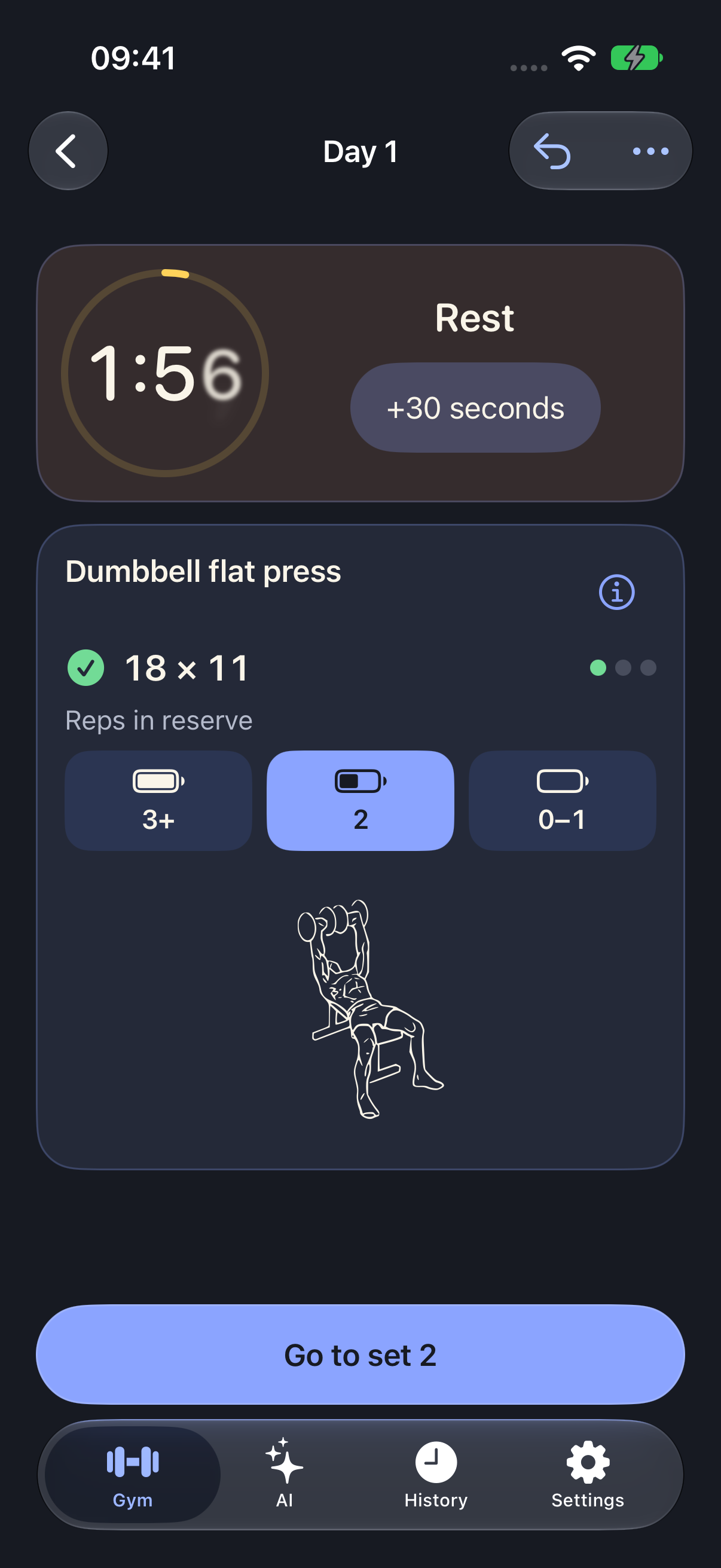
Open today’s workout: every set already has a weight and rep target based on your previous results. A badge tells you whether to increase, keep or lower the weight.
- Weight guidance
- Reach the top of the rep range in every set and it is time to add weight. Fall below the bottom and take a step down. You can undo an incorrect entry.
- Reps in reserve
- With one tap, record how many more reps you could have done. If you were at your limit, the next suggestion takes that into account.
- Works offline
- Even in a basement gym with no signal, your sets are saved on your phone.
Phone
in your locker
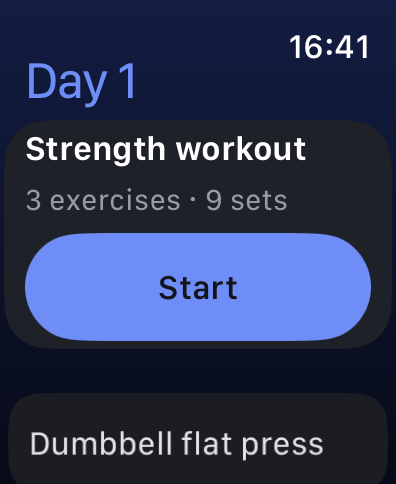
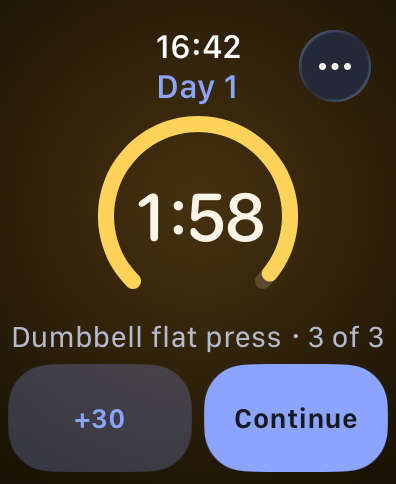
Leave your iPhone in your locker. Your day’s plan, previous set result and exercise technique are on your watch. Results return to your phone.
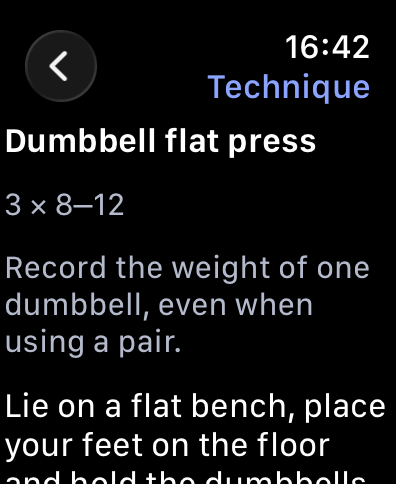
Train
Log
Discuss
Your workout summary shows what improved since last time and where you set a personal best. Track each exercise’s progress on a chart in Analytics.
Open a conversation with your coach from the summary or history. It can see the same sets and weights as you.
Technique
close at hand
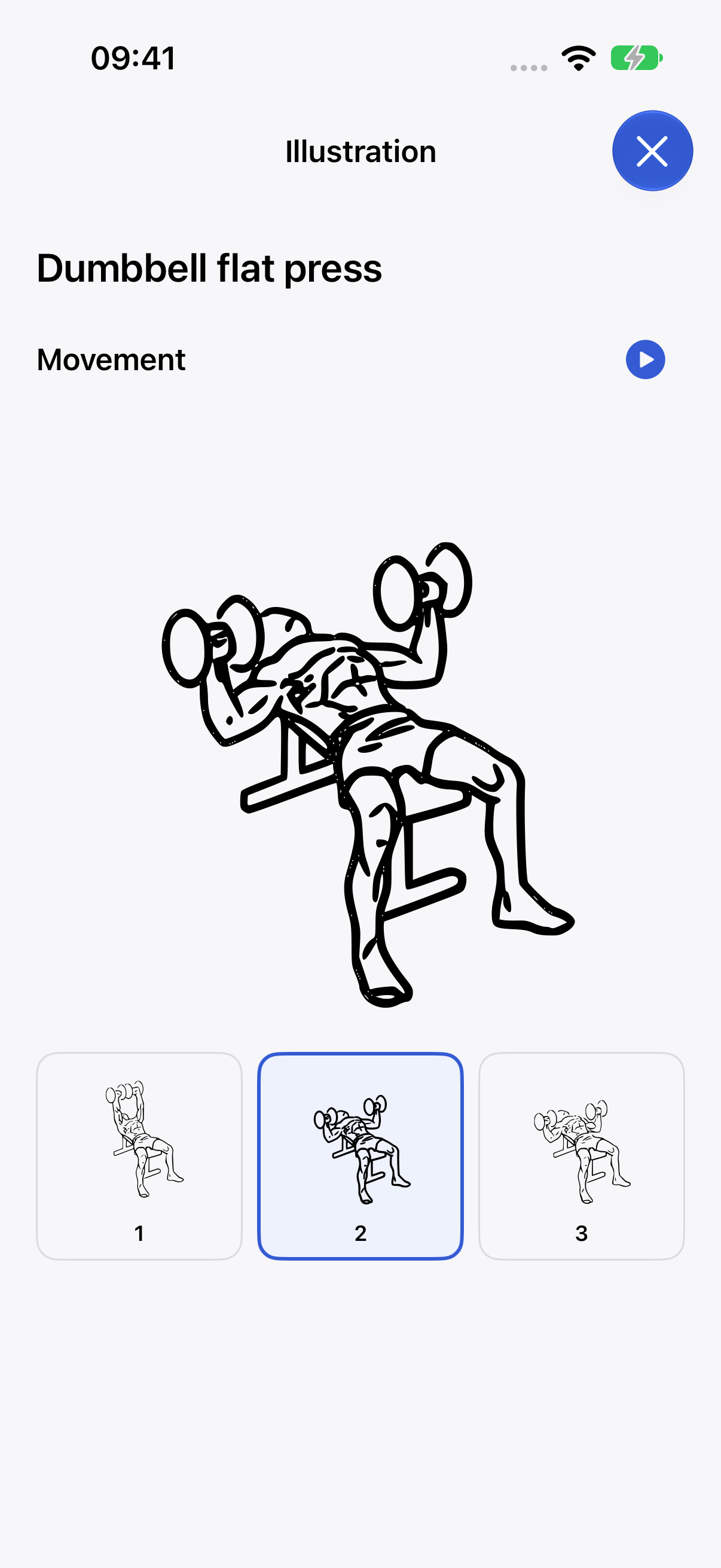
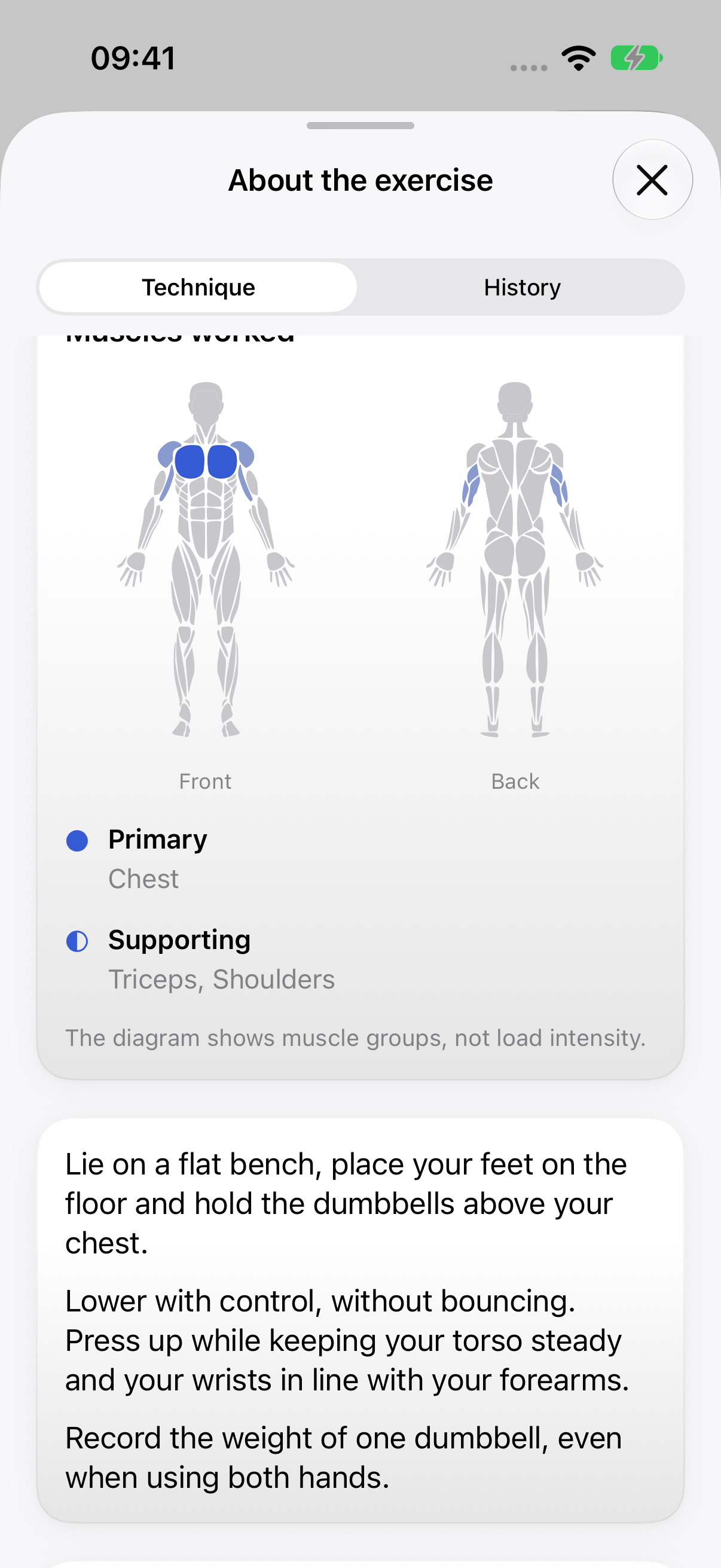
Movement frames, muscles worked and technique cues — from your program or during a set.
Your workouts —
yours to keep
Your workouts stay on your phone, and AI receives them only when you ask.
- No account
- No registration. Open the app and train.
- On your device
- Your program and sets stay on your iPhone. The developer has no server holding your workouts.
- No ads or tracking
- The app has no advertising or analytics SDKs.
- AI when you ask
- Data goes only to the service you choose, when you message your coach or enable automatic reviews. Your key stays in Keychain.
No AI?
You can still train
Start with a ready-made program or build your own from the exercise catalog: days, sets, reps and rest. Connect AI later if you want.
Bring your trainer’s program. Body Bro guides you through it just the same.
Export your program and results to files or an iCloud folder. The open format can also be read by your own agent. That is how Personal OS works: an agent on your Mac prepares your program and receives results. What is Personal OS? (in Russian)
- DaysAdd your training days.
- ExercisesChoose movements and equipment from the catalog.
- SetsSet the reps, weight and rest time.
“I just wanted to tap a button and get on with the next set.”
Pavel Pavlenko, Body Bro developer · The Body Bro story (in Russian)
See you
at the gym
Join the Body Bro beta, finish a workout and tell us what to improve. Places are limited.
- Tap “Join the beta” on your iPhone.
- If you do not have TestFlight, install it from the App Store. Then return to this page and tap the button again.
- Accept the Body Bro invitation in TestFlight and tap “Install”.
No invitation code needed.
iOS 27 or later required. Apple Watch requires watchOS 26 or later.